Full stackContainers, databases, identity and CDN
32 independent nodes across Europe.
AegisMesh is a full-stack hosting platform running on 32 independent servers across Europe, built so that one machine going down doesn’t take your app with it. Hosting, databases, sign-in and content delivery are ready to use, and you manage all of it from one portal.
- Independent failure domains
- Hosted across Europe
- Built for developers

-
32NodesIndependent servers
-
32Failure domainsOne per node
-
Europe-wide22 in Germany, 10 across Europe
-
AMD64 + ARM64Multi-architecture
Our footprint
32 nodes, spread across Europe.
AegisMesh runs on 32 independent servers: 22 in Germany and 10 in key European cities. Every server is its own failure domain, so your workloads aren’t tied to a single machine.
- Failure domains
- 32 one per server
- Countries
- 9 Germany + 8 more
- Architectures
- 2 AMD64 and ARM64
Germany 22 nodes
- Frankfurt
- Berlin
- Munich
- Hamburg
- Düsseldorf
- Cologne
- Stuttgart
- Nuremberg
- Falkenstein
- Leipzig
- Hannover
- Karlsruhe
- Bonn
- Dortmund
- Essen
- Bremen
- Dresden
- Mannheim
- Magdeburg
- Kiel
- Münster
- Augsburg
Other Europe 10 nodes
- Amsterdam
- Rotterdam
- Zurich
- Vienna
- Paris
- Marseille
- London
- Dublin
- Warsaw
- Prague
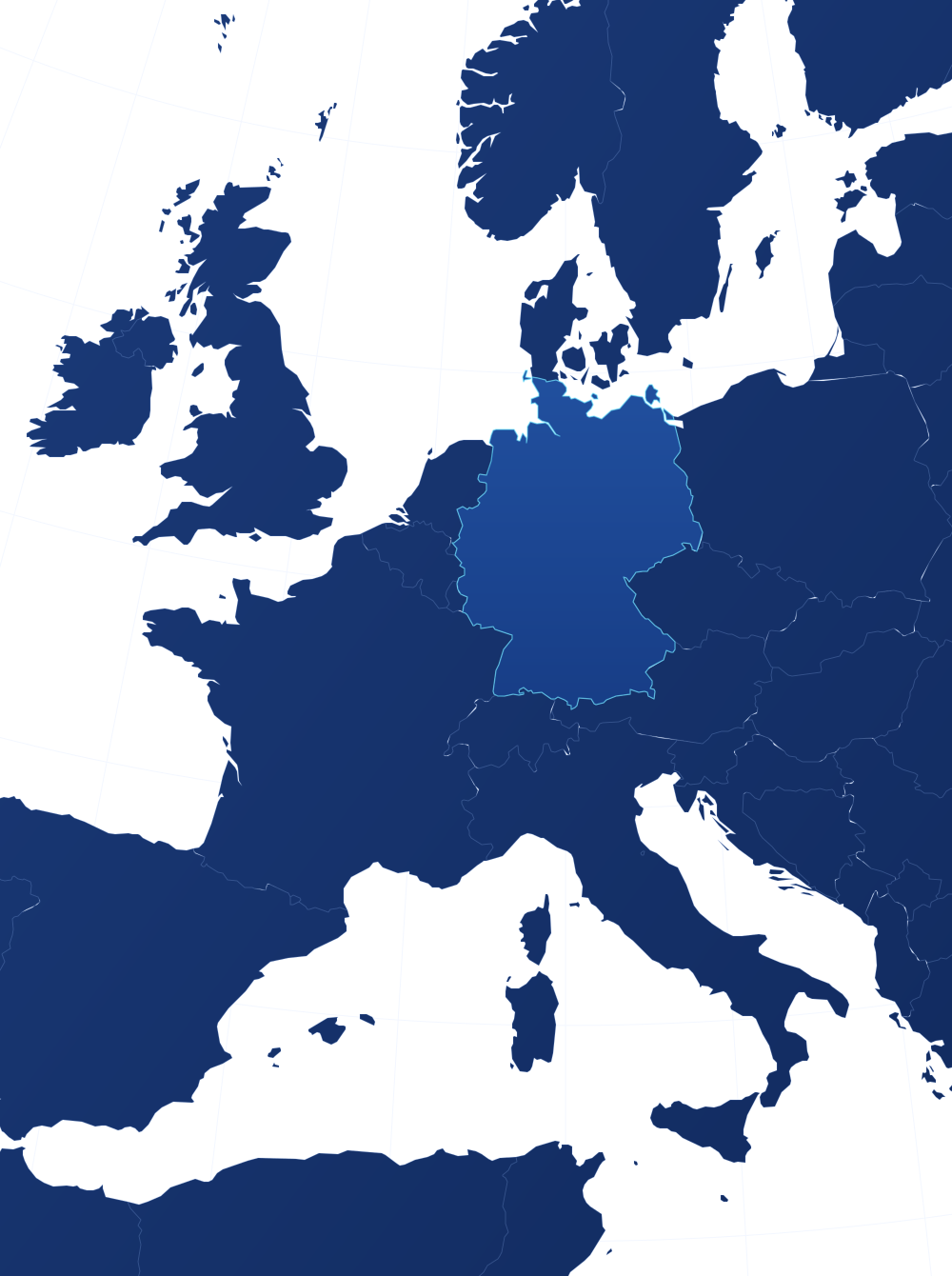
- Germany · 22 nodes
- Other Europe · 10 nodes
The platform
Full-stack hosting, ready to use.
Bring a frontend, an API, a background worker or a database-backed app. Databases, sign-in and content delivery are built in, and AegisMesh takes care of placement, routing and recovery.
-
Full-stack deployments
Frontends, APIs, workers and database-connected services, all on one platform.
-
Scales horizontally
Grow by adding instances across the platform instead of outgrowing a single machine.
-
Resilient by design
Workloads spread across independent failure domains and recover when a node fails.
-
Managed domains & traffic
Requests reach your app through the platform, under the hostnames you configure.
-
Managed PostgreSQL
Highly available PostgreSQL databases and users, created and managed from the Console.
-
Identity Manager
Sign-in, user directories and roles for your app’s users, as a ready-made service.
-
CDN + object storage
S3-compatible storage kept on several servers, with a CDN for assets, media and downloads.
-
One management portal
Run containers, databases, identity and CDN from the AegisMesh Console.
How it scales
Scale out, not up.
Instead of moving to an ever-bigger server, your app grows by running more instances across independent nodes. If a node goes away, its work is picked up elsewhere.
- App instance
- Independent node
- Rescheduled after a failure
AegisMesh Console
Manage your whole stack from one portal.
The AegisMesh Console is your management portal. Run your containers, databases, sign-in and CDN from one place, without logging in to a single server.
 AegisMesh Console
-
Container cluster
Deploy images from
registry.aegismesh.xyz, set configuration and secrets, scale instances and roll out new versions. -
Database manager
Create PostgreSQL databases for your apps and manage database users and their access.
-
Identity Manager
Add sign-in to your app and manage its users, roles and groups.
-
CDN & storage
Create S3 buckets and keys, and publish buckets through the CDN for assets, media and downloads.
CDN + object storage
Keep heavy files off your app servers.
Static assets, images, media and downloads don’t need to travel through your application. AegisMesh has its own S3-compatible object storage, highly available: every file is kept on more than one server, so it stays readable while a server is down. Public buckets are delivered through the CDN, while your app’s compute handles the dynamic work. Any S3 client or SDK works with it.
Static assets
JavaScript, CSS, fonts and build output.
Images & media
Product shots, avatars, video and audio.
Documents & downloads
PDFs, releases, archives and installers.
S3-compatible storage
Replicated across servers, separate from your app’s compute.
Buckets, S3 keys and CDN publishing are managed on the Storage page of the AegisMesh Console.
- Your usersSign up, sign in and accept invitations
- Identity ManagerLogin, user directories, roles and groups
- Your appReceives a verified user and their roles over OIDC
Identity Manager
Sign-in for your users, built in.
Almost every app needs accounts. AegisMesh includes a managed Identity Manager, so you can add login, user directories and roles to your app without building or hosting an authentication system yourself.
- Standard OIDC login for your app
- A user directory per app
- Roles and groups
- Invitations and self sign-up
Set it up for each app from the Identity section of the AegisMesh Console.
Prepare an app
Prepare your app for AegisMesh.
Get your container ready in a few steps. Publish it to the AegisMesh registry under your username, then deploy and manage it from the Console.
Required for every app
Publish your container image to registry.aegismesh.xyz before you deploy. AegisMesh deploys from its own registry, so an image hosted anywhere else can’t be used in its place.
-
Containerize your app
Package it as a container image that listens on one known internal port, for example
8080. -
Build for AMD64 + ARM64
Build a multi-platform image if you can, so it runs on both server architectures.
-
Sign in to the registry
Authenticate to
registry.aegismesh.xyzwith your AegisMesh username and credentials. -
Push a versioned image
Publish it under your username with an explicit release tag, such as
1.0.0. -
Configure it in the Console
Set your domain, configuration and secrets, and attach a database, sign-in or CDN storage if your app needs them.
-
Deploy and manage
Your published image runs on the platform, and you manage it alongside the rest of your stack from the Console.
# Sign in with your AegisMesh username
docker login registry.aegismesh.xyz

# Build for AMD64 + ARM64 and push a versioned tag
docker buildx build \
  --platform linux/amd64,linux/arm64 \
  -t registry.aegismesh.xyz/YOUR_USERNAME/YOUR_APP:1.0.0 \
  --push .
Required image reference
registry.aegismesh.xyz
- AegisMesh registry
- Your username
- App name
- Release tag
Use explicit release tags. Don’t rely on
latestalone.Keep keys, tokens and passwords out of your image and provide them as secrets. We’ll never ask for passwords through a web form.
Connect to the database endpoint from the Console’s database manager, and let your app reconnect cleanly after a failover.
Step-by-step guides for every part of the Console are in the AegisMesh Docs.

Get started
Bring your container. We’ll place it across the mesh.
Ready to run your app on AegisMesh? Tell us what you’re building and we’ll get you set up with the Console.